(reading time < 5 minutes)
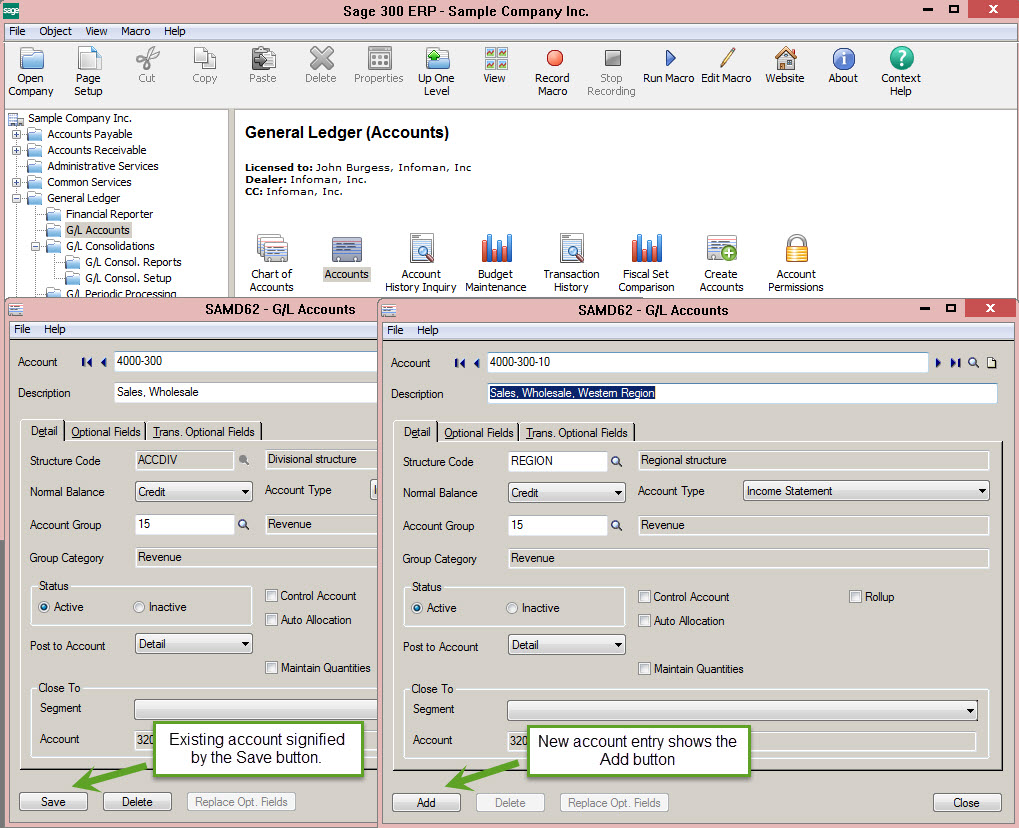
Sage 300 allows you to open multiple copies of nearly every screen so you can open an existing account (or customer, item, vendor, order, etc.) on one screen while entering a new account on another.
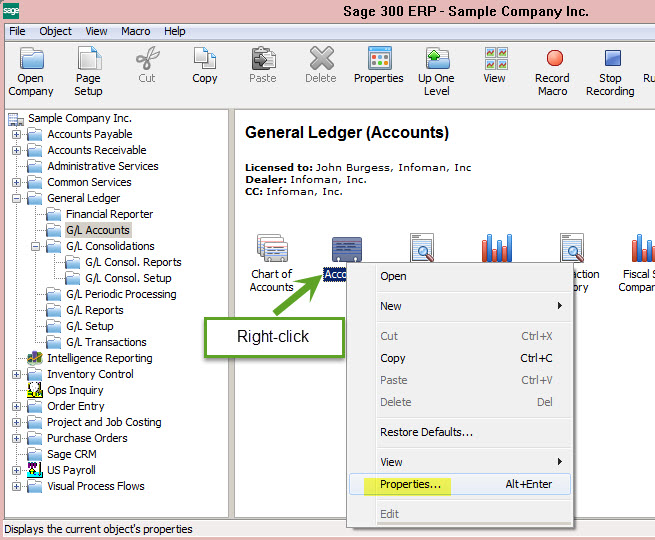
To enable this feature right-click on the screen’s shortcut and choose Properties.
Check the Start Multiple Copies checkbox then click OK.
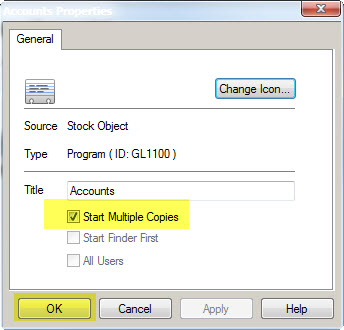
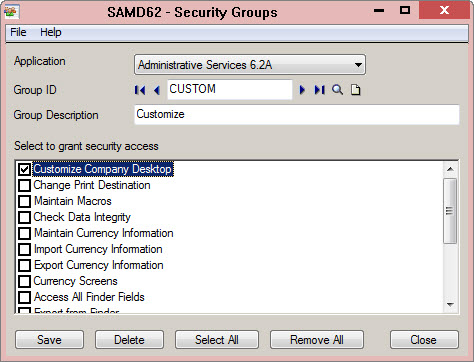
If that option is grayed out for you, ask your ADMIN to change your Administrative Services security permissions to enable the Customize Company Desktop right. After that is done, log out of Sage 300 and log back in and you’ll be able to set the option for your shortcuts.